
YOUTH ENGAGEMENT PROGRAM
BACK TO PROGRAMSyouthDate: 4/24/2026
Program Overview
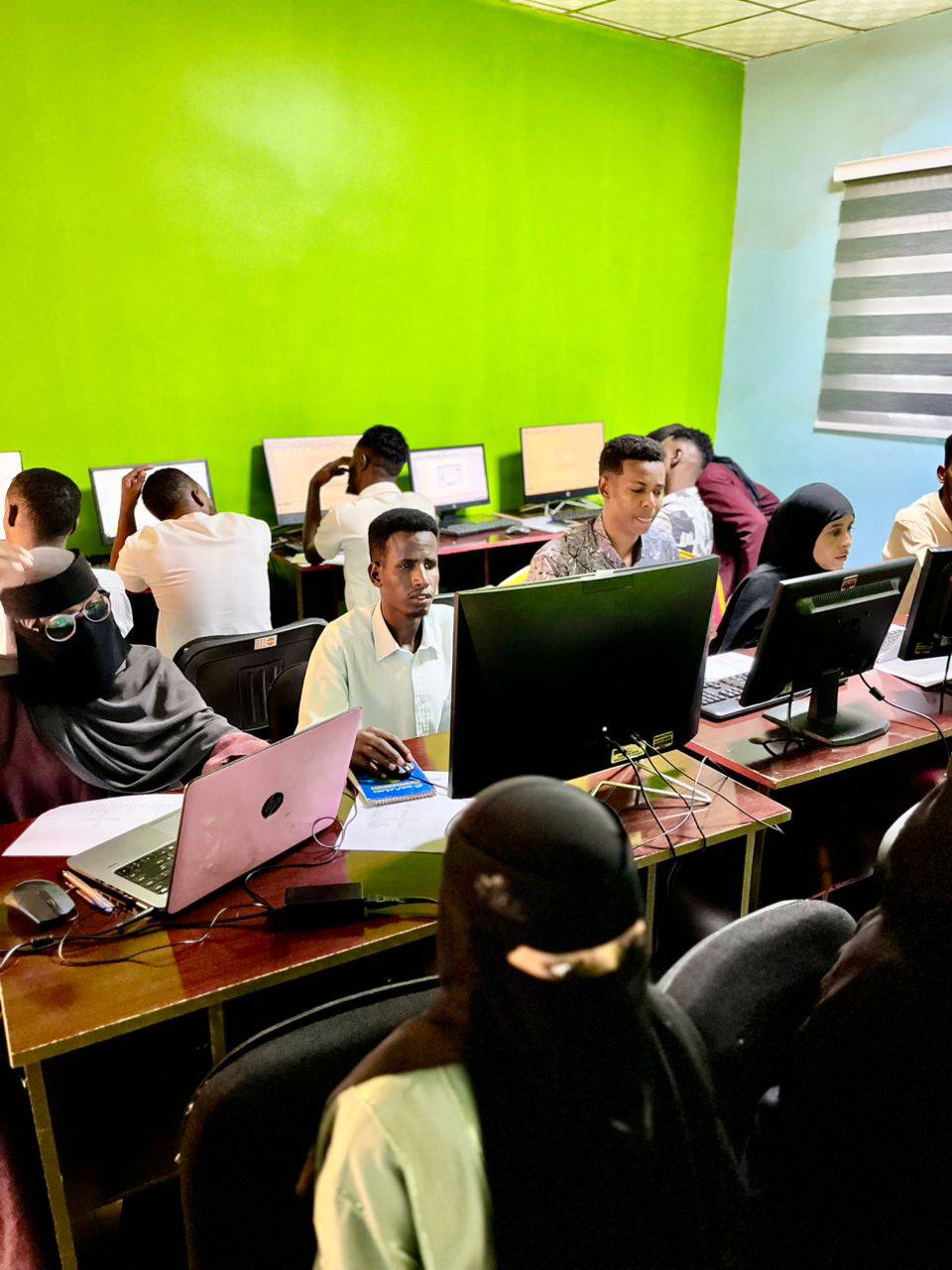
Digital Foundations: Basic Computer Training for University StudentsFocus: Productivity, Research Efficiency, and Professional Digital PresenceTarget: First and Second-Year University StudentsProgram OverviewSuccess in higher education today depends on more than just textbooks; it requires a mastery of digital tools. This program moves students beyond basic internet browsing, focusing on the technical proficiency needed to write professional papers, manage data, and navigate the digital academic landscape.Core Training ModulesComputer Fundamentals & OS Management:Understanding hardware vs. software.Efficient file management: Organizing academic folders, cloud storage (Google Drive/OneDrive), and file naming conventions.Cybersecurity Basics: Protecting personal data, recognizing phishing, and safe browsing habits on public university networks.The Professional Office Suite (MS Office/Google Docs):Document Processing: Advanced formatting for academic essays, creating Tables of Contents, and using citation tools.Spreadsheets (Excel): Data entry, basic formulas ($SUM$, $AVERAGE$), and creating charts for research projects.Presentation Mastery: Designing impactful slides that communicate ideas clearly without "text-overload."Digital Research & Academic Integrity:Effective Searching: Using Boolean operators (AND, OR, NOT) to find scholarly articles.AI for Education: How to use AI tools as research assistants while maintaining academic honesty.Email Etiquette: Writing professional emails to professors and potential employers.Introduction to the Digital Economy:Overview of remote work tools (Zoom, Slack, Trello).Introduction to basic web concepts and the importance of a professional LinkedIn profile.Methodology: "The Laptop-Open Approach"We avoid theoretical lectures in favor of practical application:The "Final Project" Requirement: To complete the course, every student must produce a formatted research report and a data-driven presentation.Troubleshooting Workshops: Teaching students how to fix common software issues and "Google" their way out of technical glitches.Peer Mentorship: Encouraging IT students to assist peers from other faculties, fostering a collaborative campus environment.Key Learning OutcomesSkill AreaGoalTyping SpeedAchieving a minimum of 35-40 words per minute (WPM).Cloud LiteracyAbility to collaborate on a single document in real-time.Data VisualizationTurning a raw table of numbers into a clear, readable graph.Security AwarenessImplementing Two-Factor Authentication (2FA) on all academic accounts.The VisionOur goal is to ensure that no student in Gabiley is held back by a lack of digital access or knowledge. By mastering these basics, students can spend less time "fighting the computer" and more time mastering their chosen fields of study."Digital literacy is the new 'reading and writing.' It is the essential language of the 21st-century professional."
Key Objectives
- Community Participation and Empowerment
- Sustainable Resource Management
- Long-term Impact Monitoring
Support This Initiative
Your contribution helps us continue this vital work and expand our reach to more communities in need.
DONATE NOW